





FAQ
How can we help?
Popular Keywords
How can I connect my ThinkTrader account to TradingView via Web Trader?
Step 1: Go to TradingView
Once you have received via email your ThinkTrader account credentials, go to TradingView by Clicking Here and log in or create an account if you don’t already have one.
Step 2: Find the ThinkMarkets broker
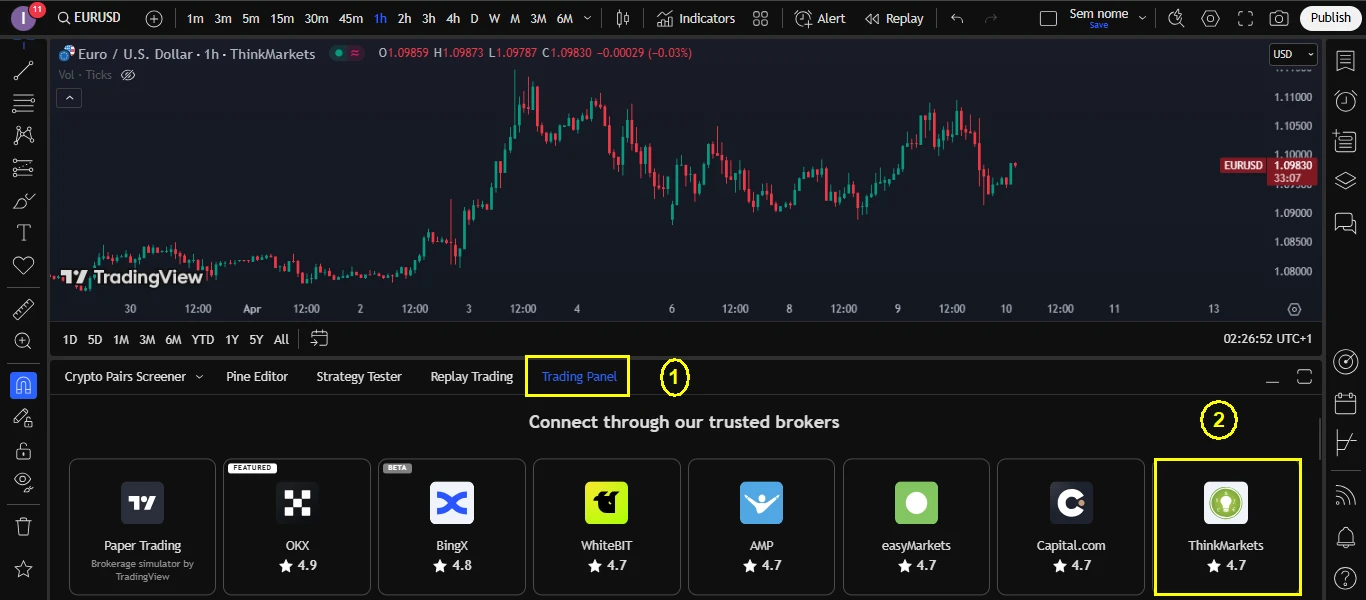
After logging in to TradingView, you must click in the ”Trading Panel” tab at the bottom side, and then click in the ThinkMarkets broker, as seen in the example below.
Step 3: Connect your ThinkTrader account
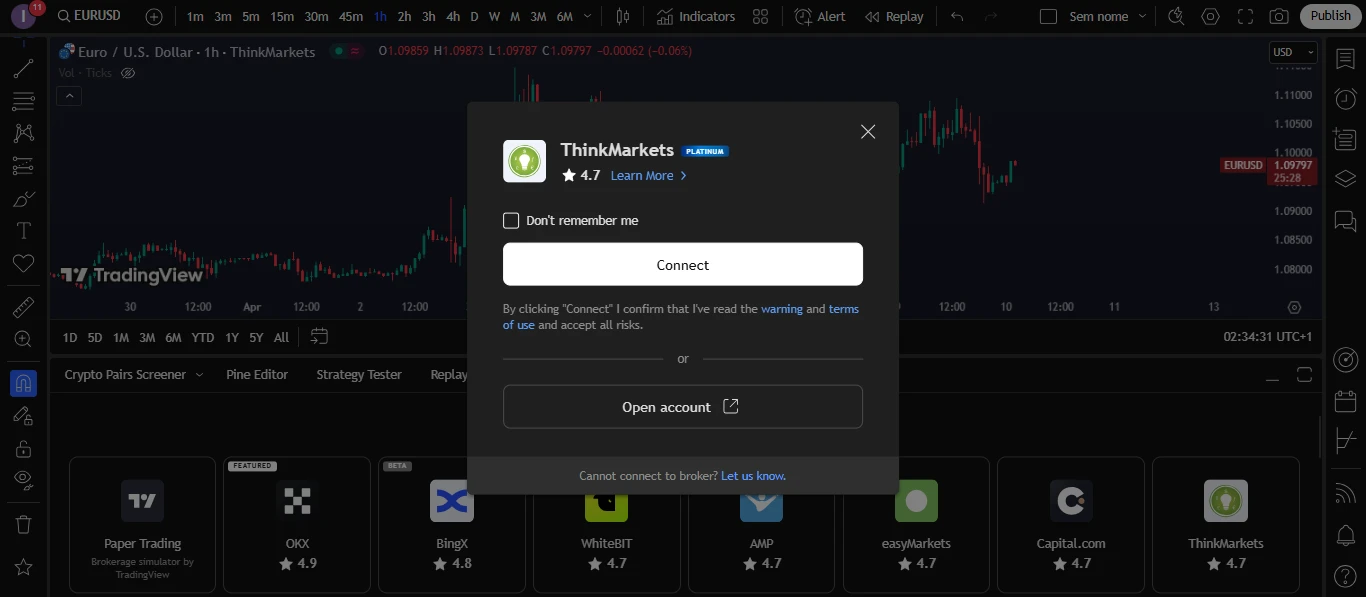
After clicking on the ThinkMarkets broker, click on the ”Connect” button, as seen in the image below.
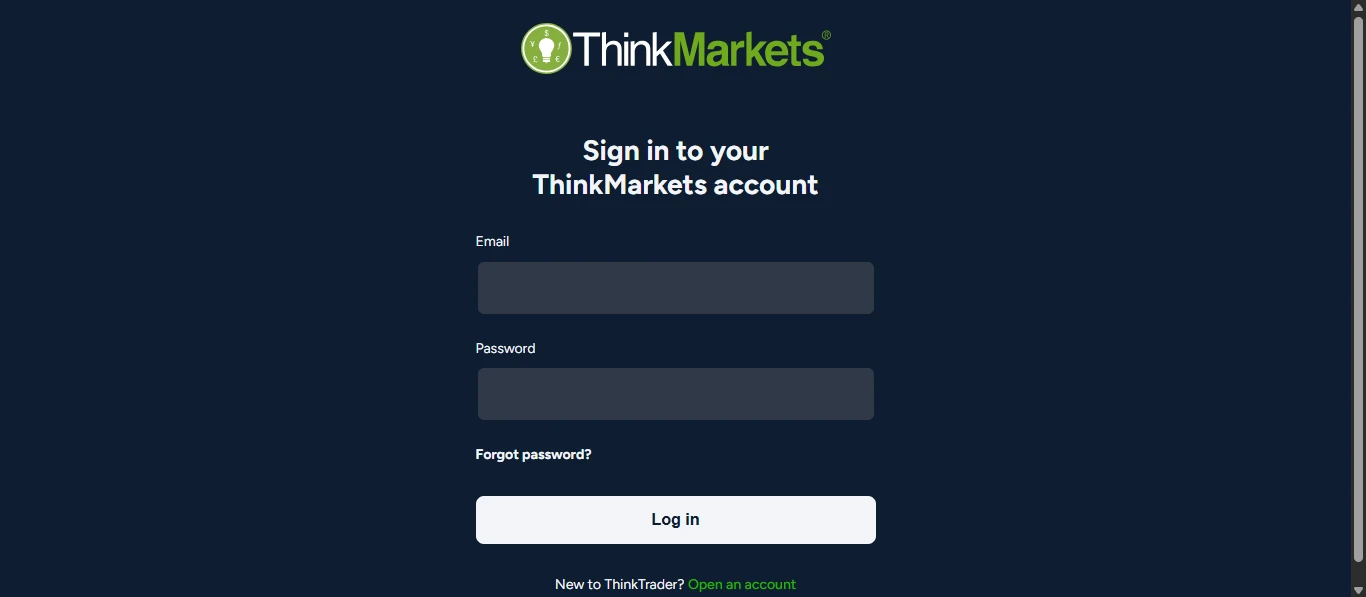
After that step, a pop-up screen will appear where you can enter your ThinkTrader account credentials received via email and log in.
Note: If you would like to learn more about the functionalities of TradingView and have more information on how to integrate your ThinkTrader account with TradingView, you can watch a video tutorial by Clicking Here.
Still need help?
Contact our support team. Email inquiries are accepted 24 hours a day. Replies are sent during business hours.